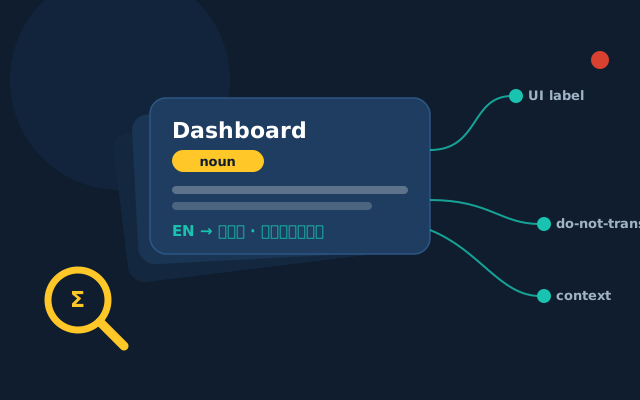
A glossary — or termbase — is the cheapest quality tool in localization. It's also the most commonly half-built and then ignored. A spreadsheet of 400 terms that nobody references doesn't make your translations consistent; it just makes you feel organized.
The difference between a glossary that works and one that gathers dust is mostly about what goes in it and how it's maintained. Here's what we've learned running termbases across thousands of projects.
Put in fewer terms, not more
The instinct is to list every noun in your product. Resist it. A glossary should hold terms where consistency matters and the right choice isn't obvious:
- Product, feature and module names
- UI elements that must match the actual interface ("Dashboard", "Workspace")
- Industry or company-specific jargon
- Terms with several plausible translations, where you need one
- Words that are easy to get subtly wrong in your domain
A focused list of 150 terms people trust beats 800 they skim past. Every entry you add dilutes the signal of the ones that matter.
A term is more than a word pair
"Source = Target" is not enough. A useful entry carries the context a translator needs to use it correctly:
- Definition — what it means in your product
- Part of speech — is "filter" a noun or a verb here?
- Context or example sentence
- Approved translation per language (these are not always one-to-one)
- Forbidden translations — the tempting-but-wrong options to avoid
- Status — approved, pending, deprecated
Keep a do-not-translate list
Half of consistency problems are things that should never have been translated: brand names, product names, trademarked terms, UI labels that match a non-localized interface, code and placeholders. A clear "leave these in English" list prevents a translator (or a machine) from helpfully rendering your product name into something unrecognizable.
One term can have more than one valid translation
This trips up newcomers. A single English term may legitimately map to different words depending on context, register or platform — and Asian languages add formality levels on top. The glossary should capture that nuance (with usage notes) rather than forcing a wrong one-size answer. The goal is correct consistency, not blind find-and-replace.
Make it live where the work happens
A glossary in a forgotten spreadsheet is invisible at the moment of translation. Load it into your CAT tool or TMS (memoQ, Phrase, Trados, XTM) so terms surface automatically as the translator types, and run an automated terminology check — we use Xbench — at QA to catch any entry that wasn't honored. Now it's not a reference nobody opens; it's a guardrail in the workflow.
Assign an owner and review it
Products change. New features arrive, terminology shifts, a translation that felt right last year reads oddly now. A glossary needs a named owner on your side and a quick review each cycle — add new terms, deprecate dead ones, resolve the questions translators flagged. Treat those flagged questions as gold: they're your real-world list of what's ambiguous.
The short version
- Curate ruthlessly — signal over volume
- Give each term definition, context and forbidden options
- Keep a clear do-not-translate list
- Allow context-dependent translations, with notes
- Surface it inside the CAT tool and check it at QA
- Give it an owner and review it every cycle
Do that, and your fifth project in a language reads like it was written by the same hand as your first — which is exactly what consistency is supposed to buy you.